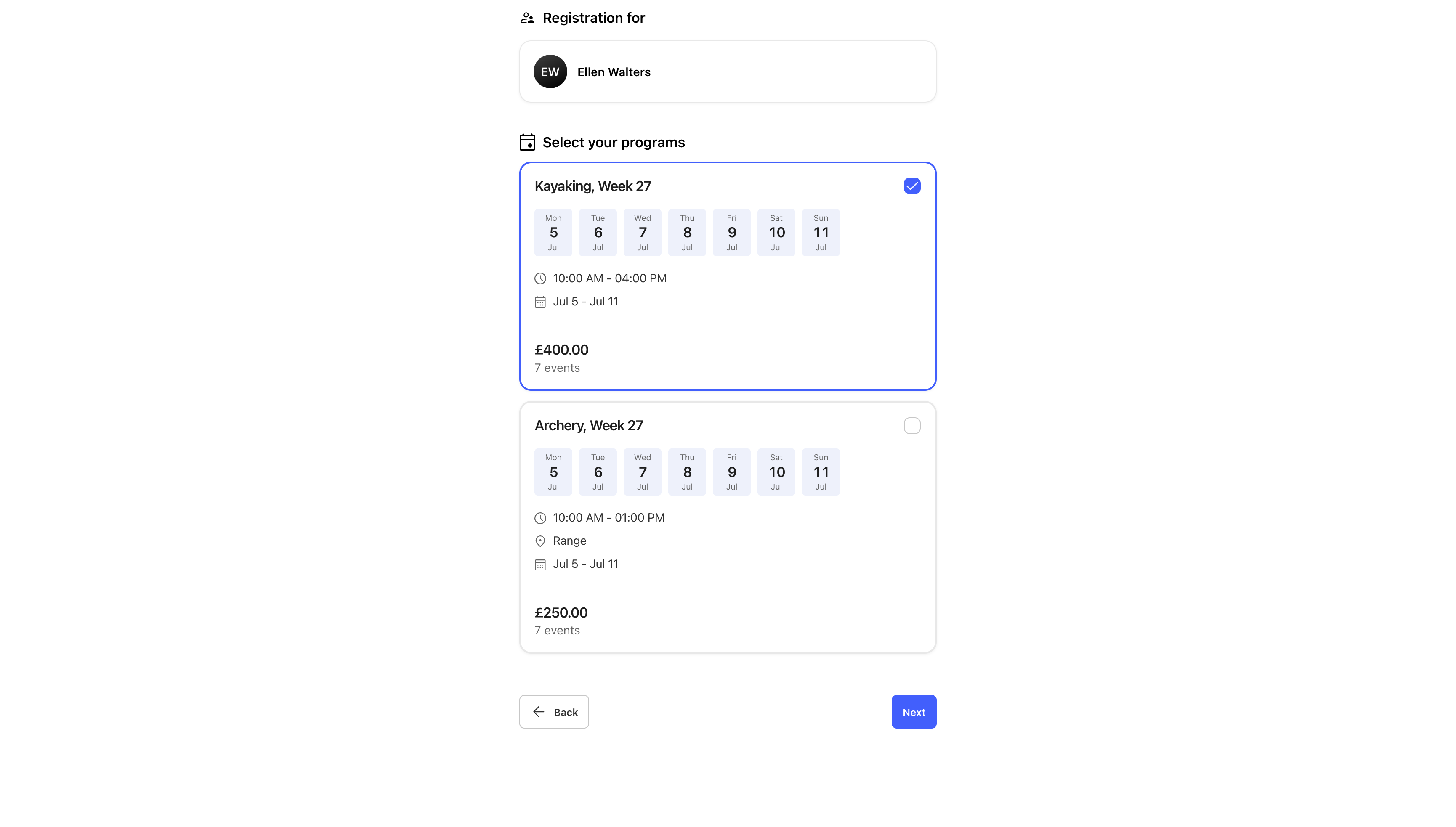
We’ve improved the entire registration process to make setup easier for admins and registering easier for players and participants. Now you can use a registration form to add people to teams, display memberships and product bundles using eligibility rules, and book them onto events or series of events, all in one place.
We’ve also updated some language in the app to make it clearer how things work.
The four registration types:
The new registration types guide you through the setup process. Just choose what you want to do, and you'll only see the steps you need.
1. Standard
The existing way of handling registrations: straightforward signup and data collection for forms that don't need to be connected to groups or events.
2. Tryouts
For adding players to tryouts, trials and open sessions. Each tryout can have a price, and one or more events, so you can add options for every type of session.
3. Team registration
For inviting and adding players to teams. A great way to manage large registrations like the start of a new season.
4. Programs
The most powerful registration type that brings together groups, event booking and payments. Whether you call them camps, classes, clinics or courses, you can use programs to book participants onto the right events and add them to groups.
Updated language
"Packages" are now called product bundles, so it's clearer what they do. Product bundles allow admins to group products and memberships, and add optional eligibility rules, so participants only see the products and bundles relevant to their answers.
The new registration features mention "bookings" a lot, so we renamed the scheduling feature from bookings to reservations, to avoid confusion between the two.
A booking usually involves payment ("I've booked a place on the winter football program"), but a reservation just holds a resource for a set time ("that pitch is reserved for the B-Team at 10am"), so club resources like pitches, referees, dressing rooms and equipment are now "reserved" rather than "booked".
How it all comes together:
Using the programs registration type with product bundles and eligibility rules gives you a powerful combination:
- Participants choose a program and answer a few questions
- They only see relevant products and bundles based on their answers
- They choose memberships, products and bundles and see a total of mandatory items and any optional extras
- Payment is processed
- They're automatically booked onto the right event or series (e.g. Womenʼs Autumn football, every Tuesday until the New Year)
- They're automatically added to the right group, eg. Womenʼs B-Team
We're working on adding more detailed, step-by-step information to the help center in the coming days. Stay tuned!